LinkedIn Carousel Templates (10 Slides)
Professional document carousel for founders and B2B marketers
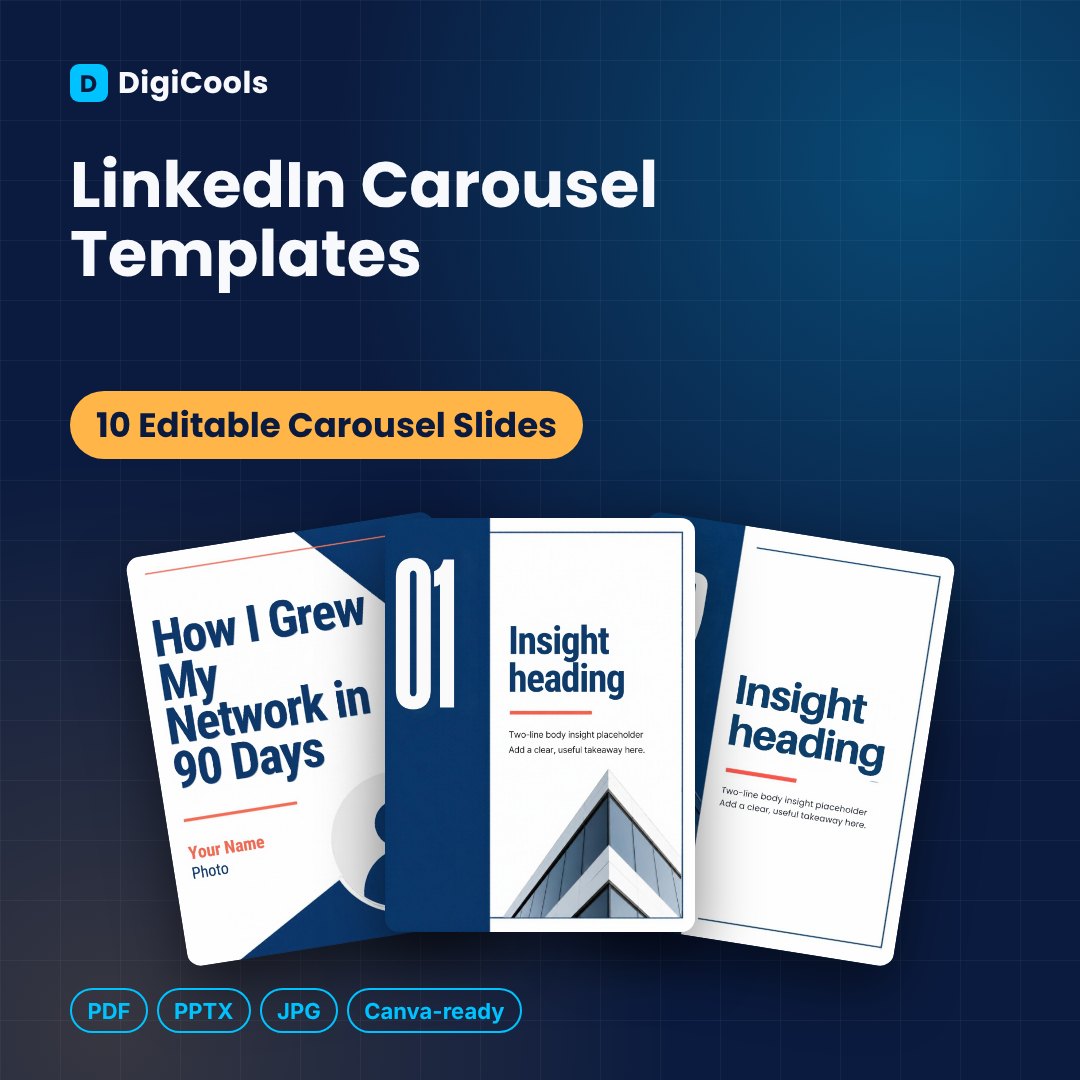
Price: ₹199 (one-time purchase)
Format: ZIP (PDF + PPTX + JPG)
Delivery: Instant download after payment is confirmed.
Category: Canva Templates
Description
A 10-slide LinkedIn document carousel template for professionals, founders and B2B marketers: hook cover, 7 insight slides, key takeaways and a follow CTA. WHO IT'S FOR Founders, consultants, B2B marketers, recruiters and professionals building authority on LinkedIn. WHAT'S INSIDE • 10 editable carousel slides — 1080 × 1440 px (4:5 portrait, Instagram feed size) • Editable PPTX file (12.6 MB) — import into Canva or open in PowerPoint, Google Slides or Keynote • Print-ready PDF of all designs (1.8 MB) • 10 high-resolution JPG images • Step-by-step How-to-Use guide (PDF) • README with licence details DESIGNS INCLUDED 01. Hook Cover 02. Insight 1 03. Insight 2 04. Insight 3 05. Insight 4 06. Insight 5 07. Insight 6 08. Insight 7 09. Key Takeaways 10. Follow for More (CTA) FEATURES • Full carousel flow from hook to call to action • Professional deep blue, white and coral design • Large numbers and short-text layouts for mobile reading • Export as a PDF to upload as a LinkedIn document post • Editable PPTX plus PDF and JPGs HOW IT HELPS • Turn your expertise into a scroll-stopping post • Build authority with consistent visuals • Create a carousel in about 20 minutes • Reuse the structure for any topic HOW TO USE 1. Download and unzip the file. 2. Import the PPTX into Canva (Create a design > Import file), or open it in PowerPoint / Google Slides. 3. Replace the placeholder text and photos with your own. 4. Download as JPG/PNG for social media or PDF for printing. LICENCE Personal & Commercial Use (single user/business). Resale or redistribution of the template files is not permitted.
What's included
- 10 editable carousel slides — 1080 × 1440 px (4:5 portrait, Instagram feed size)
- Editable PPTX file (12.6 MB) — import into Canva or open in PowerPoint, Google Slides or Keynote
- Print-ready PDF of all designs (1.8 MB)
- 10 high-resolution JPG images
- Step-by-step How-to-Use guide (PDF)
- README with licence details
Frequently asked questions
How do I post this on LinkedIn?
Edit the slides, export as a PDF, then create a post on LinkedIn and add it as a document.
Does it include the LinkedIn logo?
No. The template does not use any LinkedIn branding.
Can I edit these in Canva?
Yes. Import the included PPTX file into Canva (Create a design > Import file). A free Canva account works. You can also edit in PowerPoint, Google Slides or Keynote.
Do I need Canva Pro?
No. Importing and editing works on a free Canva account. Some fonts may be substituted if they are not available on your plan or device.
Can I use these for client work?
Yes. The Personal & Commercial Use licence lets you create designs for your own business and your clients. You cannot resell or share the template files themselves.
How will I receive the files?
Right after purchase you can download one ZIP file (digicools-linkedin-carousel-templates.zip, about 17.6 MB) from your DigiCools account.
Are the photos in the templates included for my use?
Photos and illustrations are layout placeholders. Replace them with your own images or properly licensed images before publishing.
Tags: linkedin carousel template, linkedin post template, document carousel, b2b content, personal branding, linkedin marketing, canva carousel, founder content, social media templates, professional templates