YouTube Thumbnail Templates (10 Designs)
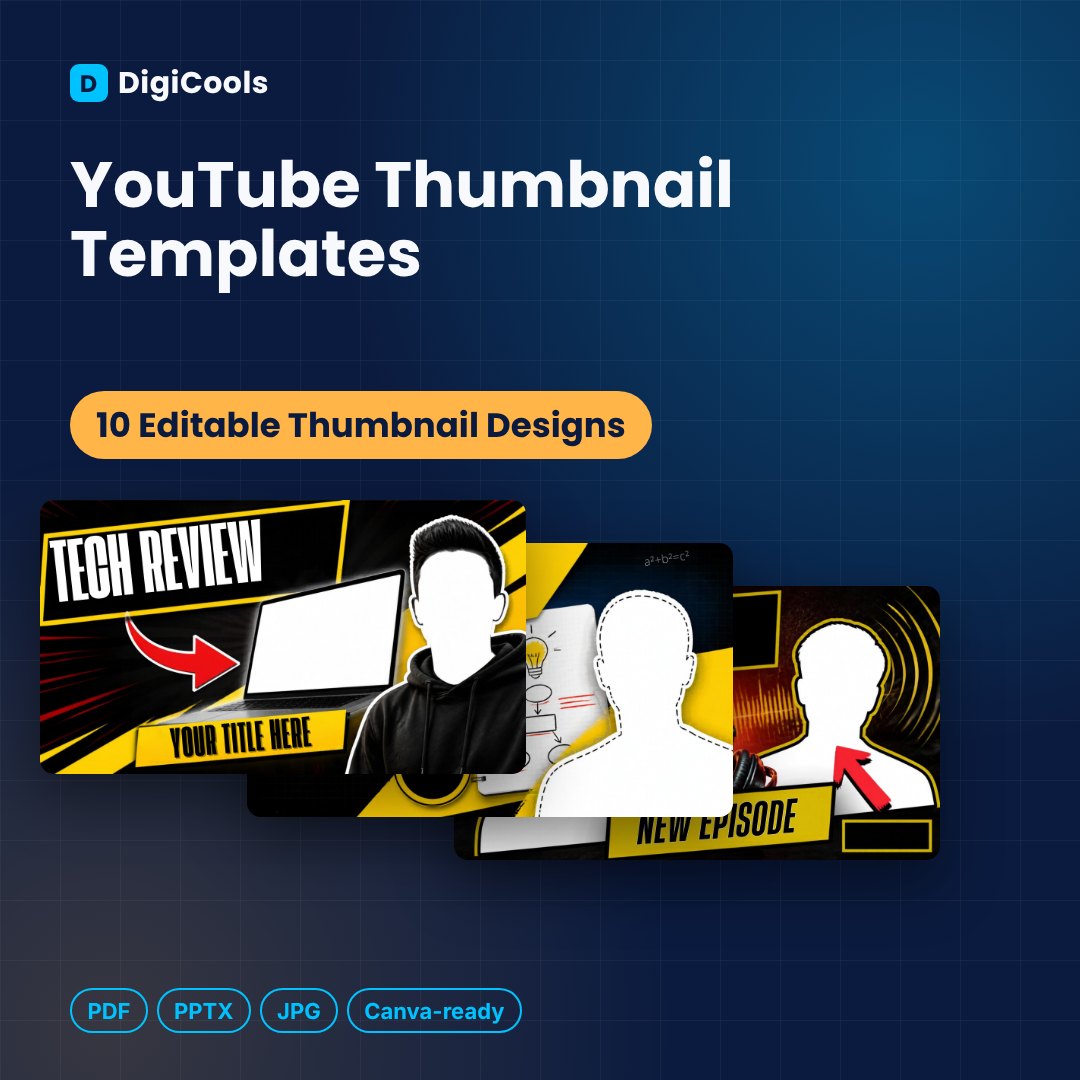
Bold, high-contrast thumbnails for 10 popular niches
Price: ₹199 (one-time purchase)
Format: ZIP (PDF + PPTX + JPG)
Delivery: Instant download after payment is confirmed.
Category: Canva Templates
Description
10 bold YouTube thumbnail templates for tech, tutorials, podcasts, fitness, finance, cooking, travel, gaming and more. Drop in your photo, change the title, export. WHO IT'S FOR YouTubers, podcasters, educators, coaches and video editors who publish regularly. WHAT'S INSIDE • 10 editable thumbnail designs — 1280 × 720 px (16:9, YouTube standard) • Editable PPTX file (16.6 MB) — import into Canva or open in PowerPoint, Google Slides or Keynote • Print-ready PDF of all designs (3.8 MB) • 10 high-resolution JPG images • Step-by-step How-to-Use guide (PDF) • README with licence details DESIGNS INCLUDED 01. Tech Review 02. Learn This (Tutorial) 03. The Podcast 04. Level Up (Motivation) 05. Watch This (Q&A / Reaction) 06. 5 Tips (Cooking) 07. Full Body Workout (Fitness) 08. Money Tips (Finance) 09. Travel Vlog 10. New Meta (Gaming) FEATURES • 10 niche-specific layouts with bold headline styles • Photo cut-out areas for your face or product • Arrows, stickers and high-contrast colours built for small screens • Exact 1280 × 720 YouTube size • Editable PPTX plus JPG and PDF versions HOW IT HELPS • Create a thumbnail in minutes for every upload • Keep a consistent channel look • Stand out in search and suggested videos • Test different headline styles quickly HOW TO USE 1. Download and unzip the file. 2. Import the PPTX into Canva (Create a design > Import file), or open it in PowerPoint / Google Slides. 3. Replace the placeholder text and photos with your own. 4. Download as JPG/PNG for social media or PDF for printing. LICENCE Personal & Commercial Use (single user/business). Resale or redistribution of the template files is not permitted.
What's included
- 10 editable thumbnail designs — 1280 × 720 px (16:9, YouTube standard)
- Editable PPTX file (16.6 MB) — import into Canva or open in PowerPoint, Google Slides or Keynote
- Print-ready PDF of all designs (3.8 MB)
- 10 high-resolution JPG images
- Step-by-step How-to-Use guide (PDF)
- README with licence details
Frequently asked questions
How do I remove the background from my photo?
Use Canva's Background Remover (Pro) or any free background removal tool, then place the cut-out image in the photo area.
Can I use these for YouTube Shorts?
Shorts use a vertical frame. You can resize the design to 1080 × 1920 in Canva, but these templates are built for regular 16:9 videos.
Can I edit these in Canva?
Yes. Import the included PPTX file into Canva (Create a design > Import file). A free Canva account works. You can also edit in PowerPoint, Google Slides or Keynote.
Do I need Canva Pro?
No. Importing and editing works on a free Canva account. Some fonts may be substituted if they are not available on your plan or device.
Can I use these for client work?
Yes. The Personal & Commercial Use licence lets you create designs for your own business and your clients. You cannot resell or share the template files themselves.
How will I receive the files?
Right after purchase you can download one ZIP file (digicools-youtube-thumbnail-templates.zip, about 24.2 MB) from your DigiCools account.
Are the photos in the templates included for my use?
Photos and illustrations are layout placeholders. Replace them with your own images or properly licensed images before publishing.
Tags: youtube thumbnail template, thumbnail design, youtube templates, canva thumbnail, video thumbnail, youtuber tools, podcast thumbnail, content creator templates, social media templates, 1280x720 thumbnail