Trading Account Growth & Withdrawal Tracker Spreadsheet
See your true trading return after deposits and withdrawals, month by month
Price: ₹299 (one-time purchase)
Format: ZIP (XLSX + PDF)
Delivery: Instant download after payment is confirmed.
Category: Trading Journals
Description
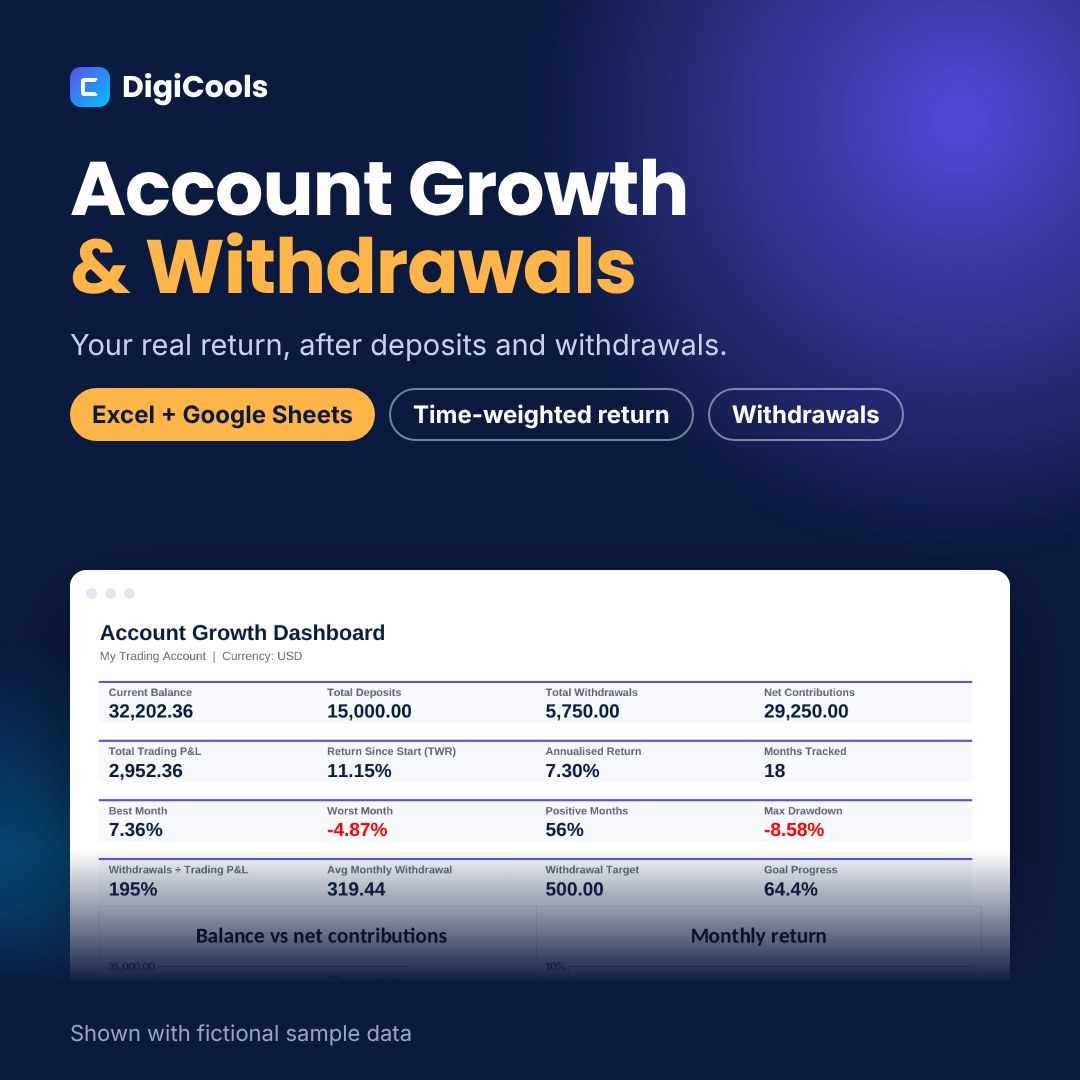
An account that grew from 20,000 to 30,000 may have made money, or you may simply have deposited 10,000. This tracker separates your contributions from your trading results and shows a time-weighted return that deposits and withdrawals cannot distort. A trading account growth tracker for Excel and Google Sheets. Log deposits, withdrawals and month-end balances to see trading P&L, time-weighted return, drawdown and yearly totals. WHO IT'S FOR Traders and investors who add or withdraw money from a trading account and want to know their real performance. WHAT'S INSIDE • Account Growth Tracker workbook, blank — Excel XLSX, 6 tabs (55 KB) • Sample workbook: 18 months and 16 cash flows of fictional data — Excel XLSX (57 KB) • Quick Start Guide — PDF, A4, 6 pages (825 KB) • README with contents, license and support — TXT HOW IT HELPS • Monthly Log for 120 months: type the closing balance, everything else calculates • Cash Flows log for deposits and withdrawals • Trading P&L separated from deposits and withdrawals • Monthly return, time-weighted return since start and annualised return • Drawdown based on performance, so withdrawals do not count as losses • Dashboard with 16 metrics, balance vs contributions chart and monthly return chart • Yearly summary with time-weighted return for each calendar year HOW TO USE 1. Download and unzip the file. 2. Open Account-Growth-Withdrawal-Tracker-Blank.xlsx in Excel, or upload it to Google Drive and choose File > Save as Google Sheets. 3. On Settings, enter the first month and the opening balance. 4. Log deposits and withdrawals on Cash Flows, and each month-end balance on Monthly Log. 5. Review the Dashboard and Yearly tabs. COMPATIBILITY Microsoft Excel 2019 or newer (including Microsoft 365), Google Sheets and LibreOffice Calc. No macros or add-ins. GOOD TO KNOW Monthly returns use the standard mid-month approximation for deposits and withdrawals. Record-keeping and review tool only; not tax or investment advice. Sample data is fictional. LICENSE Personal use. You may edit the files for your own records but not resell, share or redistribute them.
What's included
- Account Growth Tracker workbook, blank — Excel XLSX, 6 tabs (55 KB)
- Sample workbook: 18 months and 16 cash flows of fictional data — Excel XLSX (57 KB)
- Quick Start Guide — PDF, A4, 6 pages (825 KB)
- README with contents, license and support — TXT
- Single ZIP download (658 KB)
Frequently asked questions
What is time-weighted return?
A return that chains monthly results so deposits and withdrawals do not change it. It shows how your trading performed, not how much money you added.
Why does it assume flows happen mid-month?
It is a standard approximation (Modified Dietz) that needs only month-end balances. For most accounts the difference from exact daily maths is small.
Can I track several accounts?
Use one copy per account, or combine them by entering total balances and total flows.
Does it work for any currency?
Yes. Set the currency label on Settings and enter amounts in that currency.
Is it a tax report?
No. It is a record-keeping and review tool, not tax or investment advice.
Does it work in Google Sheets?
Yes. Upload the .xlsx to Google Drive and save it as a Google Sheets file.
Can I share it?
No. The license is for personal use only.
Tags: trading account tracker, account growth tracker, withdrawal tracker, time weighted return, trading performance, portfolio tracker spreadsheet, monthly return tracker, trading journal excel, trading journal google sheets, drawdown tracker