Indian F&O Trading Journal for Excel & Google Sheets
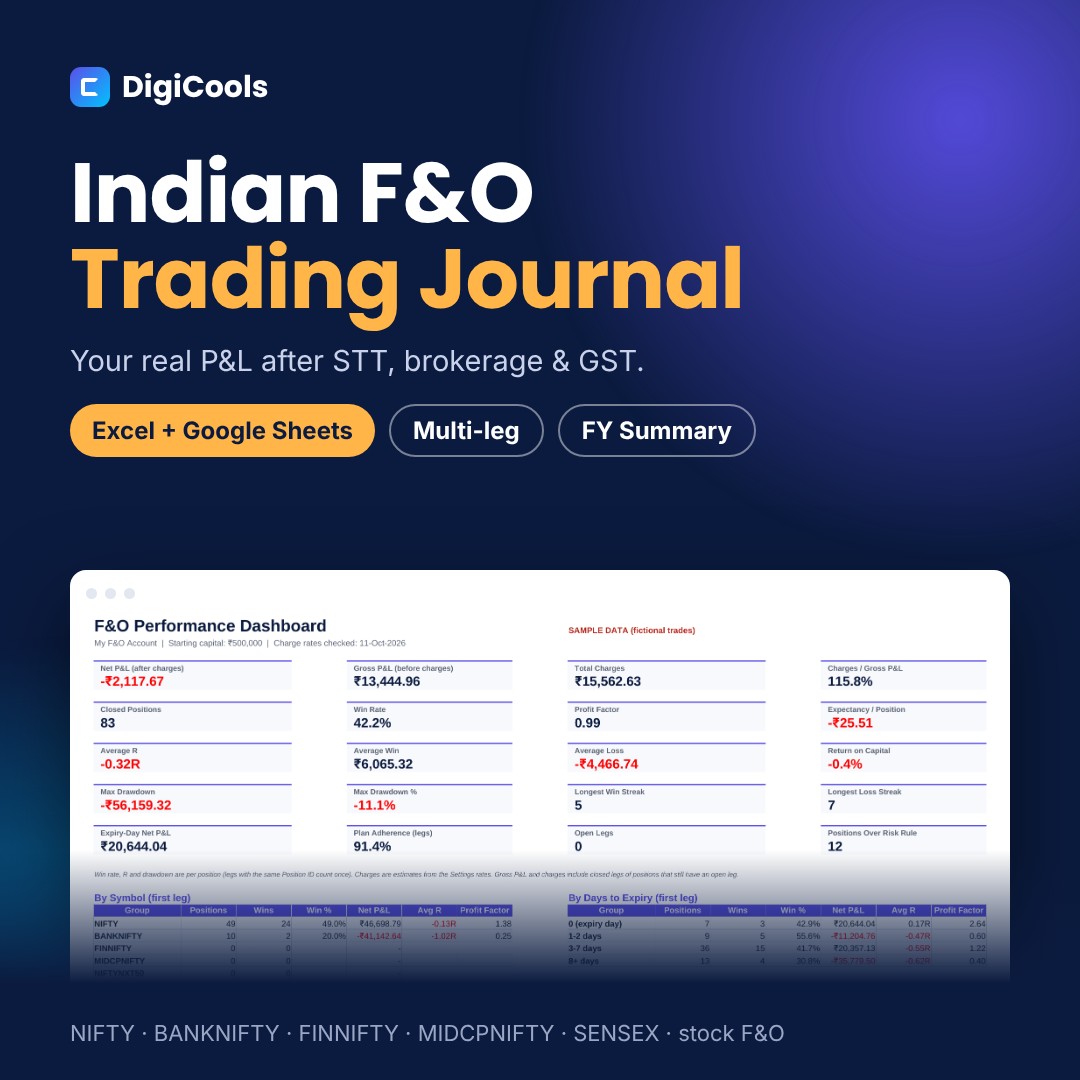
See your real P&L after STT, brokerage and GST, for every leg and every position
Price: ₹599 (one-time purchase)
Format: ZIP (XLSX + PDF)
Delivery: Instant download after payment is confirmed.
Category: Trading Journals
Description
A trading journal built for Indian F&O and intraday traders. Every leg is costed with brokerage, STT, exchange charges, SEBI fee, stamp duty and GST, multi-leg trades count as one position, and an April to March summary is ready for your CA. WHO IT'S FOR Indian traders in NIFTY, BANKNIFTY, FINNIFTY, MIDCPNIFTY, NIFTYNXT50 and SENSEX options and futures, stock F&O and equity intraday, on NSE and BSE. WHAT'S INSIDE • F&O trading journal workbook, blank and ready to use — Excel XLSX, 9 tabs (413 KB) • Sample workbook with 105 fictional legs (83 positions, including straddles and iron condors) — Excel XLSX (445 KB) • Quick Start Guide — PDF, A4, 8 pages with worked charge examples (1.7 MB) • README with contents, rates note, license and support (3 KB) HOW IT HELPS • Trade Log with 500 rows for options, futures, equity intraday and delivery • Quantity calculated from lots × lot size, with a per-row override • Six charges per leg: brokerage, STT, exchange transaction charge, SEBI fee, stamp duty and GST • Editable charge table (STT revision effective 1-Apr-2026 preloaded) and lot-size table (Jan-2026 series) • Multi-leg positions: legs with the same Position ID count as one trade for win rate, R and drawdown • Dashboard with 20 metrics, breakdowns by symbol, strategy, instrument, days to expiry, weekday and emotion, mistake cost, and where your charges went • Monthly results, equity curve and drawdown after charges • FY Summary (April to March) by segment with gross P&L, brokerage, STT, other charges, net P&L and absolute turnover • Daily Review with expiry check and rule checks; Weekly Review with self-rating HOW TO USE 1. Download and unzip the file. 2. Open FnO-Trading-Journal-Blank.xlsx in Excel, or upload it to Google Drive and choose File > Save as Google Sheets. 3. On Settings, enter your capital and rules, then check the charge rates and lot sizes against your contract note. 4. Log one row per leg. Give all legs of a multi-leg trade the same Position ID. 5. Review the Dashboard, Monthly, FY Summary and Charts tabs, and use the Daily and Weekly Review sheets. COMPATIBILITY Microsoft Excel 2019 or newer (including Microsoft 365), Google Sheets and LibreOffice Calc. No macros or add-ins. GOOD TO KNOW Charges are estimates from the rates on the Settings sheet; your broker's contract note is the final record. Lot sizes and rates change over time and can be updated in the file. This is a manual journal: it does not connect to any broker. The FY Summary is a record-keeping aid, not tax advice. Educational tool only, not investment advice; it does not predict or guarantee any result. F&O trading carries a high risk of loss. Sample data is fictional. LICENSE Personal use. You may edit the files for your own records but not resell, share or redistribute them.
What's included
- F&O trading journal workbook, blank — Excel XLSX, 9 tabs, 500-row log (413 KB)
- Sample workbook with 105 fictional legs (83 positions) — Excel XLSX (445 KB)
- Quick Start Guide — PDF, A4, 8 pages (1.7 MB)
- README with contents, rates note, license and support — TXT (3 KB)
- Single ZIP download (1.8 MB)
Frequently asked questions
Are the charges exactly what my broker deducts?
They are estimates from the rate table on the Settings sheet. Edit the rates to match your contract note; small rounding differences are normal.
What if lot sizes or STT change?
Update the Settings tables. Every formula reads from them, so all trades recalculate.
How do I log a straddle or iron condor?
Enter each leg on its own row and give all legs the same Position ID. The journal adds them up and counts them as one position.
Does it work in Google Sheets?
Yes. Upload the .xlsx to Google Drive and save it as a Google Sheets file. Excel 2019 or newer and LibreOffice also work.
Does it connect to my broker?
No. It is a manual journal, so it works with any broker.
Does it calculate my income tax?
No. The FY Summary gives totals for your Chartered Accountant. It does not calculate tax, set-off or audit applicability.
Can I share it with friends?
No. The license is for personal use only.
Tags: f&o trading journal, options trading journal india, nifty trading journal, banknifty trading journal, sensex options, trading journal excel, trading journal google sheets, stt calculator, brokerage calculator, iron condor, short straddle, intraday trading journal, fy trading summary, trade log, indian stock market