AI Social Media Content Planner Agent Kit
Price: ₹299 (one-time purchase)
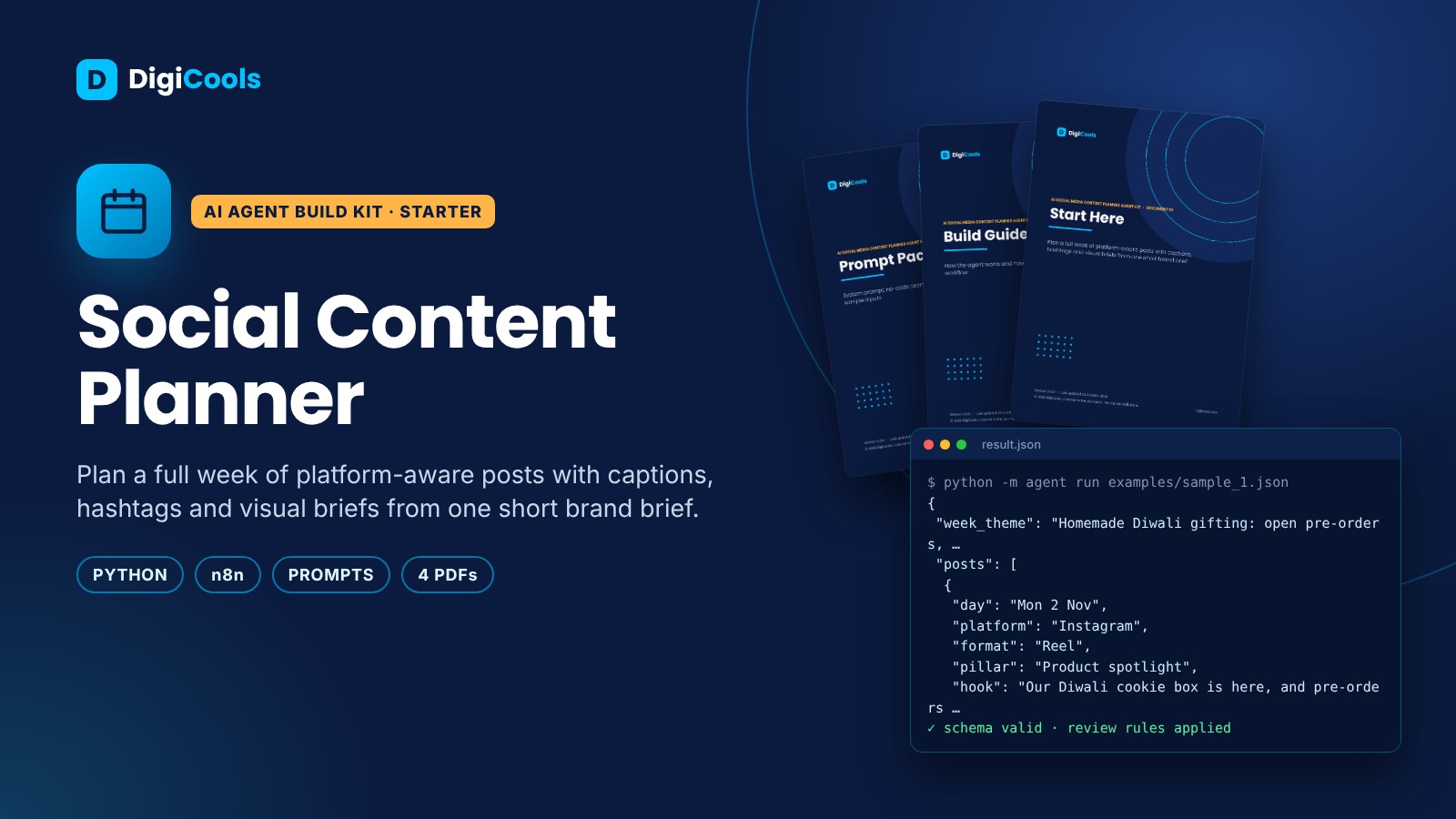
Format: ZIP (4 PDFs + Python agent + n8n workflow + prompts)
Delivery: Instant download after payment is confirmed.
Category: AI Agents
Description
Plan a week of Instagram, LinkedIn, Facebook and X posts with hooks, captions, hashtags and visual briefs. No-code prompt and simple agent included. A dated weekly post plan with captions, hashtags and visual briefs per platform. Describe your brand once and get a balanced week of posts planned for Instagram, LinkedIn, Facebook or X. Each post comes with a day, format, hook, caption, platform-appropriate hashtags and a visual brief you can design from. Offers and dates are used only as you write them and flagged for you to confirm, and fake reviews or fake urgency are refused. The kit includes a no-code prompt for any AI chat, a simple Python agent, an optional n8n webhook workflow you can connect to your sheet or calendar, and six task prompts. Who it's for Creators, small brands and marketing freelancers who post on Instagram, LinkedIn, Facebook or X every week. What it does • Weekly plan across up to 5 platforms with day, format, pillar and status per post • Platform-aware captions and hashtag counts for Instagram, LinkedIn, Facebook and X • Hook line and visual brief for every post, ready for Canva or a designer • Pillar balance summary so one theme does not take over the week • Flags for offers, dates and missing content you need to confirm • No-code prompt, Python agent, optional n8n workflow and 6 task prompts Benefits • Plan a full week of posts in one sitting • Stop copying the same caption to every platform • Keep posting consistent around festivals and launches • Avoid risky claims and fake urgency in your marketing • Hand clear briefs to designers or clients for approval What's inside • 4 PDF guides (42 pages): Start Here, Build Guide, Prompt Pack, Testing, Security & Costs • Runnable Python agent (standard library only) with 22 automated tests, batch mode and cost limits • Importable n8n workflow with input validation and review rules • System prompt, a no-code prompt for any AI chat, and 6 task prompts (TXT + CSV) • 3 sample inputs, including a prompt-injection test • Editable Markdown sources, README, license and checksum manifest Three ways to use it 1. No-code: paste the prompt into ChatGPT, Claude or Gemini (5 minutes) 2. Python: run the agent on one file or a whole folder (Python 3.11+, nothing to install) 3. n8n: import the workflow and call it from a form, sheet or app Use cases • A home baker in Lucknow plans 5 Instagram posts and 2 Reels around Diwali orders without repeating last week's ideas. • A freelance social media manager drafts a weekly plan for three small clients before the Monday review call. • A Dubai fitness coach turns three content pillars into a mix of LinkedIn posts and Instagram carousels. • A handmade jewellery brand plans a product-launch week with teaser, launch and behind-the-scenes posts. • A personal-brand creator repurposes one blog article into a week of short posts across platforms. Requirements • For the no-code route: any AI chat account • For the code route: Python 3.11 or newer • For real AI results: an Anthropic or OpenAI API key (paid per use) or a free local model with Ollama • Optional: n8n Cloud or self-hosted n8n Running costs The kit is a one-time payment. AI model usage is billed by your provider per use; the kit includes cost limits and a cost formula. Free options: the offline demo mode and local models via Ollama. Honest notes • The agent produces drafts and structured data. It never sends, posts, pays or changes records — a person reviews and acts. • Tested offline and in n8n against a local test server; live provider calls need your own key. • Results depend on your inputs and model. No income or results are promised. FAQs Q: Does it post to Instagram or LinkedIn for me? A: No. It plans and drafts the posts. You design, approve and schedule them yourself in your own tools. Q: Is this suitable for complete beginners? A: Yes. This is a Starter kit. You can use the no-code prompt in any AI chat in minutes; the Python agent and n8n workflow are optional. Q: Can I plan for more than one client? A: Yes. Keep one input file per client with its own brand_brief, put them in a folder and run python -m agent batch my_inputs --out results.csv each week. Q: Will it create images? A: It writes a visual brief for each post that you can use in Canva or give to a designer. It does not generate images. Q: Can it write in Hinglish? A: Yes, if your brand brief asks for it. Check non-English captions before posting. Want all 20 agent designs, a full course and a research agent? See the AI Agent Builder Master Kit on DigiCools. License: single-buyer license — use and modify for personal and commercial projects, including client work; no resale or redistribution. Version 1.0.0 · ZIP 376 KB · Instant download
What's included
- 4 PDF guides — 42 pages (Start Here, Build Guide, Prompt Pack, Testing, Security & Costs)
- Runnable Python agent — 22 automated tests, batch mode, cost limits
- Importable n8n workflow with validation and review rules
- 8 prompts — system, no-code (any AI chat) and 6 task prompts (TXT + CSV)
- 3 sample inputs incl. a prompt-injection test
- Editable sources, README, license, manifest · ZIP 376 KB
Frequently asked questions
What does the Social Media Content Planner Agent Kit create?
A dated weekly plan across up to 5 platforms. Each post has a day, format, pillar, hook, caption, platform-aware hashtags and a visual brief you can design from in Canva or hand to a designer, plus a pillar balance summary and flags for dates or content you need to confirm.
Which platforms and tools does it work with?
It plans posts for Instagram, LinkedIn, Facebook and X. Three ways: paste the no-code prompt into ChatGPT, Claude or Gemini; run the Python agent on one file or a whole folder (Python 3.11 or newer, nothing to install); or import the n8n workflow and call it from a form, sheet or app.
Does it post to Instagram or LinkedIn for me, or create images?
No. It plans and drafts posts and writes a visual brief for each one. It does not generate images or publish anything; you design, approve and schedule posts in your own tools.
Can I plan content for more than one client?
Yes. Keep one input file per client with its own brand brief, put them in a folder and run the Python agent in batch mode to get the results in a CSV each week.
Tags: social media planner, content calendar, instagram captions, linkedin posts, ai agent, content planning, small business marketing, creator tools, hashtags, prompt kit, weekly planner