Swing Trading Journal with Scale-Outs, MAE & MFE Tracking
Multi-day positions with up to three exits, holding time and trade-efficiency analysis
Price: ₹449 (one-time purchase)
Format: ZIP (XLSX + PDF)
Delivery: Instant download after payment is confirmed.
Category: Trading Journals
Description
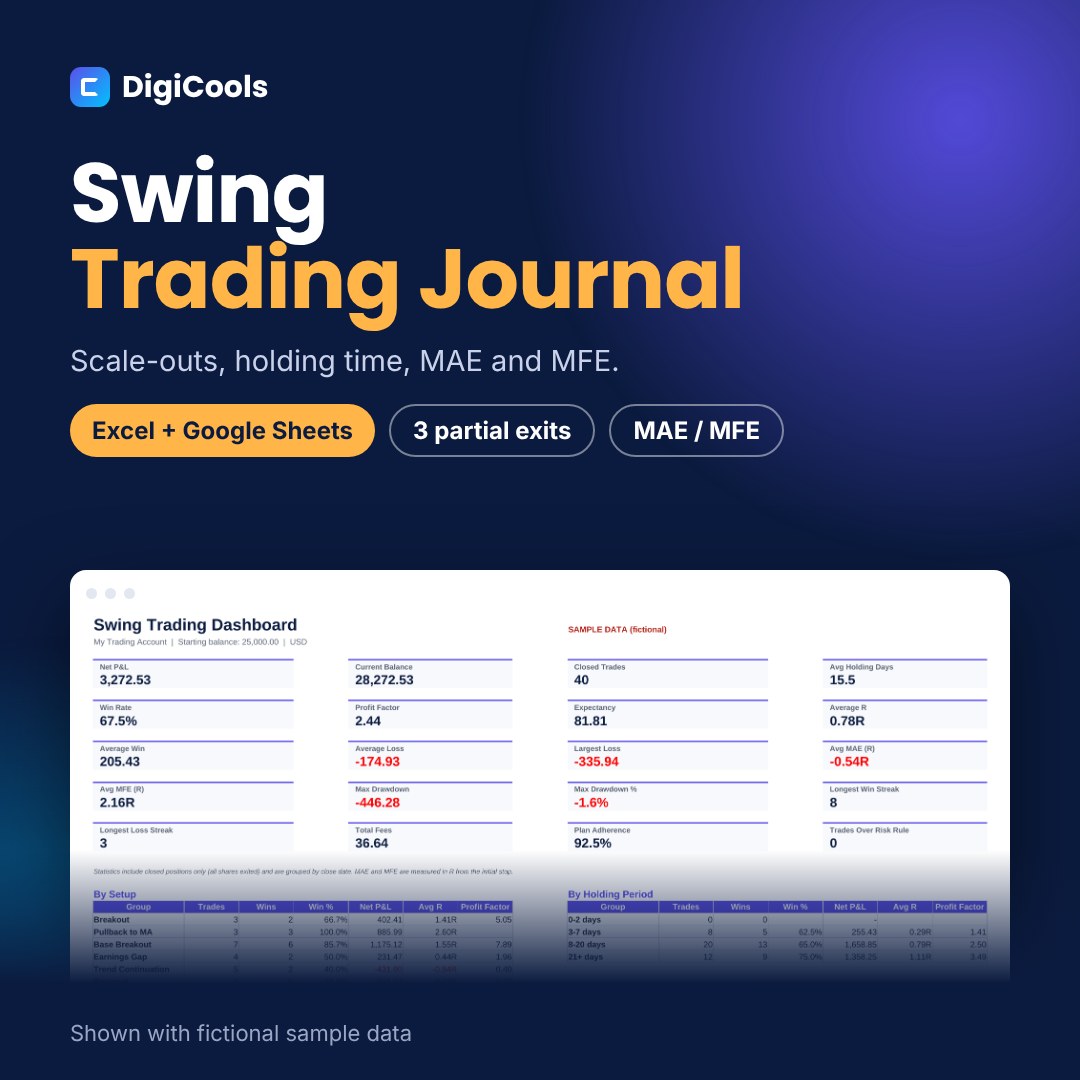
Swing trades rarely exit in one piece, and the final P&L hides how much heat you took and how much profit you left behind. This journal handles partial exits and measures MAE and MFE in R, so you can improve both entries and exits. A swing trading journal for Excel and Google Sheets. Log positions with up to three partial exits, track holding days, MAE and MFE in R, and see which setups and holding periods work best. WHO IT'S FOR Swing and position traders in stocks and ETFs who hold for days to weeks and scale out of winners. WHAT'S INSIDE • Swing Trading Journal workbook, blank — Excel XLSX, 8 tabs (302 KB) • Sample workbook with 40 fictional rows — Excel XLSX (312 KB) • Quick Start Guide — PDF, A4, 6 pages (1.2 MB) • README with contents, license and support — TXT HOW IT HELPS • Position log with 500 rows and up to three partial exits per position • Share-weighted average exit, close date and holding days calculated automatically • MAE and MFE in R, plus % of the best move captured • Dashboard with 20 metrics including average holding days, MAE and MFE • Breakdowns by setup, holding period, direction, close weekday and emotion, plus Mistake Cost • Monthly results by close date, equity curve and drawdown • Daily and weekly review sheets HOW TO USE 1. Download and unzip the file. 2. Open Swing-Trading-Journal-Blank.xlsx in Excel, or upload it to Google Drive and choose File > Save as Google Sheets. 3. Fill in the Settings sheet (account, rules and lists). 4. Add one row per entry in the Trade Log. Type only in the soft-gold cells. 5. Review the Dashboard, Monthly and Charts tabs, and use the review sheets. COMPATIBILITY Microsoft Excel 2019 or newer (including Microsoft 365), Google Sheets and LibreOffice Calc. No macros or add-ins. GOOD TO KNOW This is a manual tool: it does not connect to any broker or data feed. Educational record-keeping tool only, not financial advice; it does not predict or guarantee any result. Sample data is fictional. LICENSE Personal use. You may edit the files for your own records but not resell, share or redistribute them.
What's included
- Swing Trading Journal workbook, blank — Excel XLSX, 8 tabs (302 KB)
- Sample workbook with 40 fictional rows — Excel XLSX (312 KB)
- Quick Start Guide — PDF, A4, 6 pages (1.2 MB)
- README with contents, license and support — TXT
- Single ZIP download (1.2 MB)
Frequently asked questions
How many exits can I enter?
Up to three per position. The journal uses the share-weighted average exit price.
When does a position count in the stats?
When the shares exited equal the shares bought. Partially closed positions stay open.
What are MAE and MFE?
Maximum adverse and favourable excursion: the worst and best price reached while the trade was open, shown in R from your initial stop.
Can I use it for shorts?
Yes. Choose Short as the direction; all calculations reverse automatically.
Does it work in Google Sheets?
Yes. Upload the .xlsx to Google Drive and save it as a Google Sheets file.
Can I share it?
No. The license is for personal use only.
Tags: swing trading journal, swing trade tracker, position trading journal, mae mfe tracker, stock trading journal, trading journal excel, trading journal google sheets, trade log, scale out tracker, trading performance